
Soma360 for tvet institutions
Organise the administration behind technical and vocational training.
Keep programme, trainee and financial records organised across your institution. Explore how Soma360 fits your registration, attendance and assessment processes.
Supported programme structures
Programmes are set up as courses with a level, duration and units, offered in intakes and taught in classes. Courses can be delivered in person, online or both.
Read about Student records- Levels: short course, artisan, craft certificate, certificate, diploma, higher diploma, degree and professional certification
- Duration in weeks, months or years, with years of study and semesters
- Units per course, taught per class
- Physical, online and hybrid delivery
Supported assessment methods
Each course uses either marks-based or competency-based assessment, and both can run in the same institution.
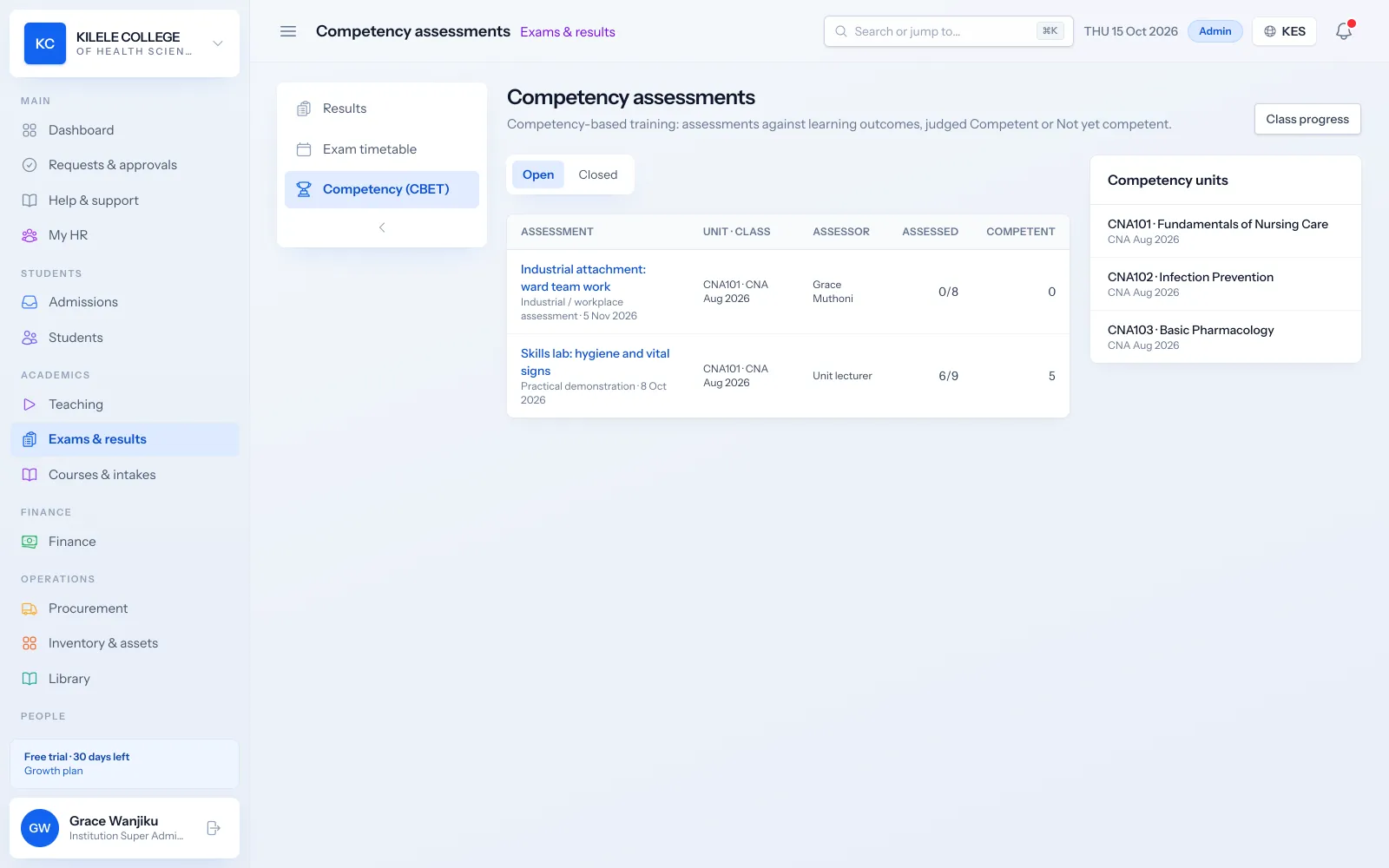
Read about Competency-based training (CBET)
- Marks-based: CATs, mid-terms, final exams, assignments, practicals and orals with weights
- Competency-based: units of competency, learning outcomes and Competent / Not Yet Competent results
- Practical checklists with assessment criteria
- Online quizzes and exams with integrity controls
Practical training records
Assessors record observations against checklists and upload evidence. For industrial attachment, workplace supervisors submit their report through a secure link without needing an account.
Read about Competency-based training (CBET)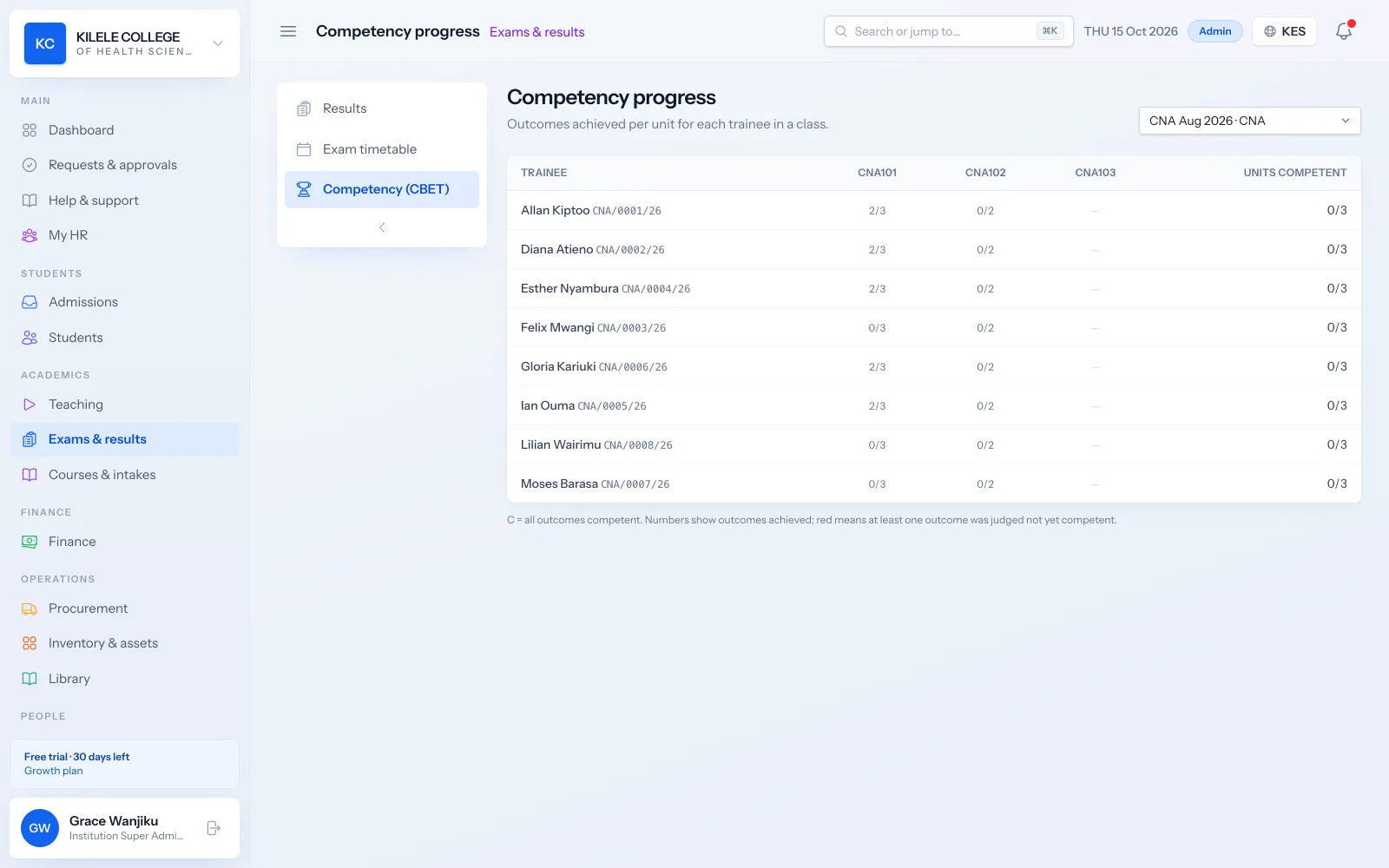
- Assessor role with access to their own assessments
- Evidence uploads such as photos and documents
- Workplace supervisor reports on attachment
- Verification of assessments
Reporting examples
Reports cover the figures TVET management asks for most, filtered by date range and exportable to CSV for your own returns.
Read about Reporting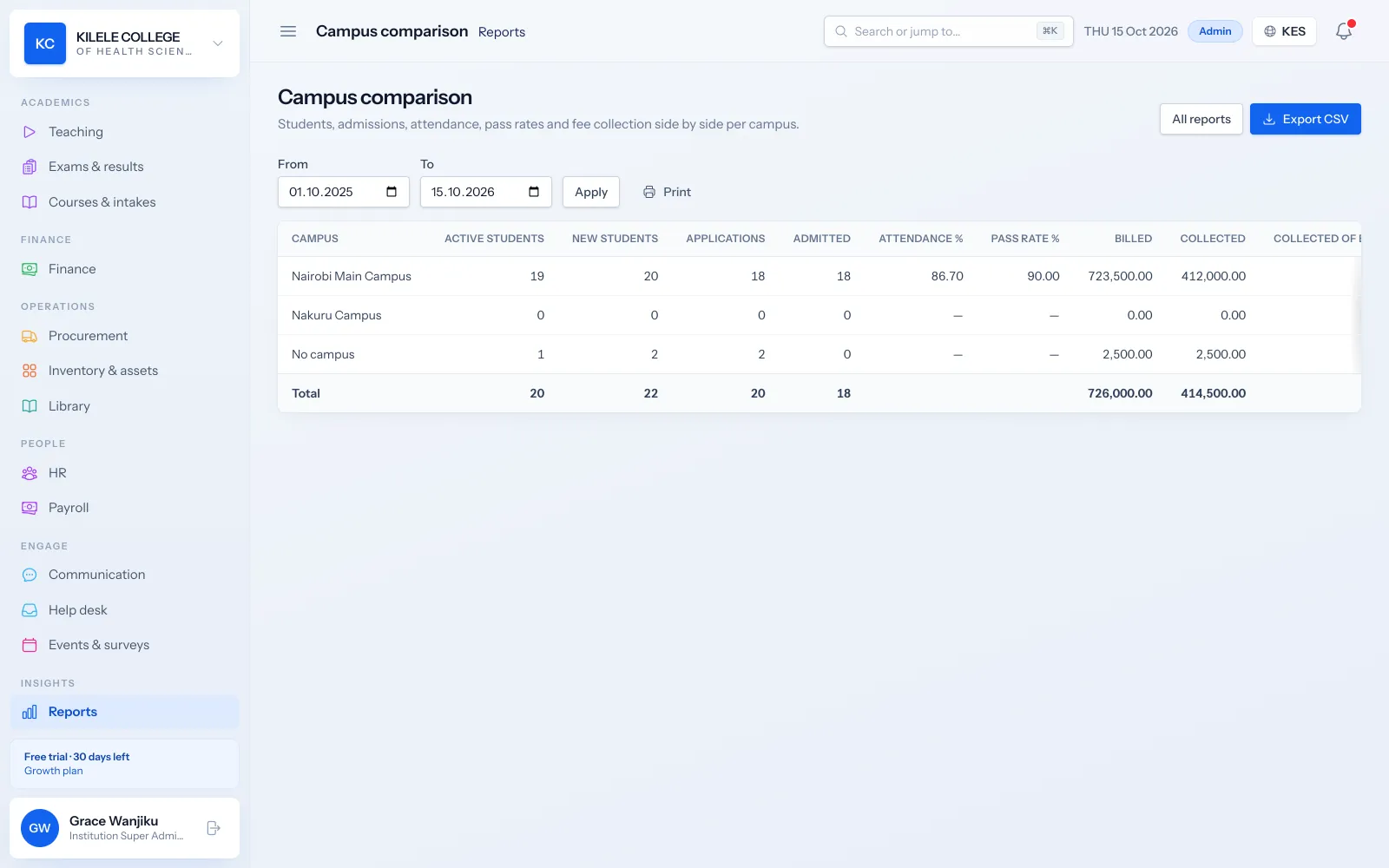
- Enrolment by course and by intake
- Attendance by class unit
- Results summary with pass rates
- Competency progress per trainee, unit and class
- Fee collections and outstanding balances
Setup requirements
To start, you prepare the structure of your institution and your records. The import wizard takes Excel or CSV files.
Read about Student records- Courses with their levels and units, and units of competency for CBET programmes
- Intakes, classes, rooms and campuses
- Staff with their roles, including assessors
- Fee structures and opening balances
- Optional: your M-PESA Daraja credentials and SMS account
Example
Example: a trainee on a competency-based programme
A realistic walk-through with a made-up student, showing what happens in Soma360 at each step.
-
1
Registration
Brian is admitted to a craft certificate course for the September intake and placed in his class.
-
2
Training
His timetable, materials and attendance are in the portal; he checks in to practical sessions by QR code.
-
3
Assessment
His assessor records each learning outcome against the practical checklist and uploads photos as evidence.
-
4
Attachment
During industrial attachment, his workplace supervisor submits a report through a secure link.
-
5
Verification
Assessments are verified, and his units are marked Competent.
-
6
Certificate
With all units competent and fees cleared, his certificate is issued with a QR verification code.
Modules
The parts of Soma360 you will use most
Competency-based training (CBET)
Units of competency, outcomes, evidence, assessors and C/NYC results.
Attendance management
Class registers, QR check-in, absence history and attendance reports.
Examinations & results
Assessments, marks entry, grading, moderation, approval and transcripts.
Fees & payments
Fee structures, invoices, payments, receipts, balances and collection reports.
Certificates & verification
Templates, completion requirements, QR verification, revocation and reissue.
Student portal
Profile, fee statements, results, announcements, downloads and requests.
Good to know before you choose
- Soma360 does not submit data directly to TVETA, KNEC or CDACC systems. Reports export to CSV so you can prepare your own returns.
- Competency units and learning outcomes are set up by your institution; Soma360 does not ship with occupational standards preloaded.
FAQ
Common questions
Can we run CBET and marks-based courses together?
Yes. Each course is set as marks-based or competency-based, and both run side by side with their own reports.
Do workplace supervisors need an account?
No. They receive a secure, signed link to submit their report on the trainee.
Can trainees see their competency progress?
Yes. The student portal shows each trainee their progress through their units and outcomes.
See how Soma360 fits your institution
Tell us how your institution works and we will focus the demo on your records, departments and workflows. Prefer to explore alone? Start a 30-day free trial.