
Certificates & verification
Certificates anyone can verify in seconds
Fake certificates damage every institution's reputation. Soma360 issues certificates only when a student has truly met the requirements, gives each one a unique QR code, and lets employers confirm it is genuine on your public verification page.
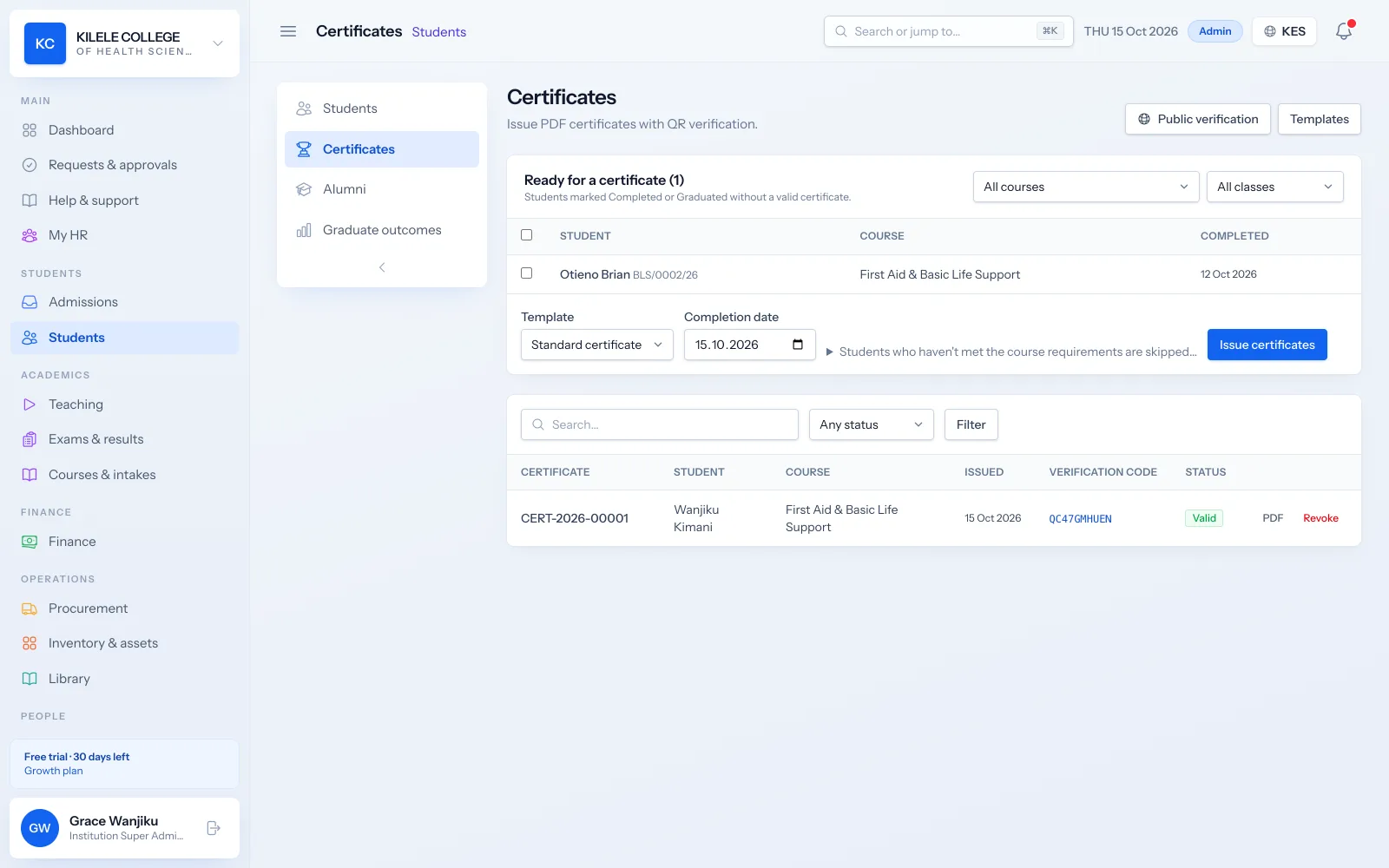
Only when earned
Fees, results and attendance requirements are checked before a certificate can be issued.
Instant verification
Anyone can scan the QR code to confirm a certificate is genuine and current.
A full history
Every issue, revocation, reissue and verification lookup is recorded.
Certificates & verification
Design your certificates
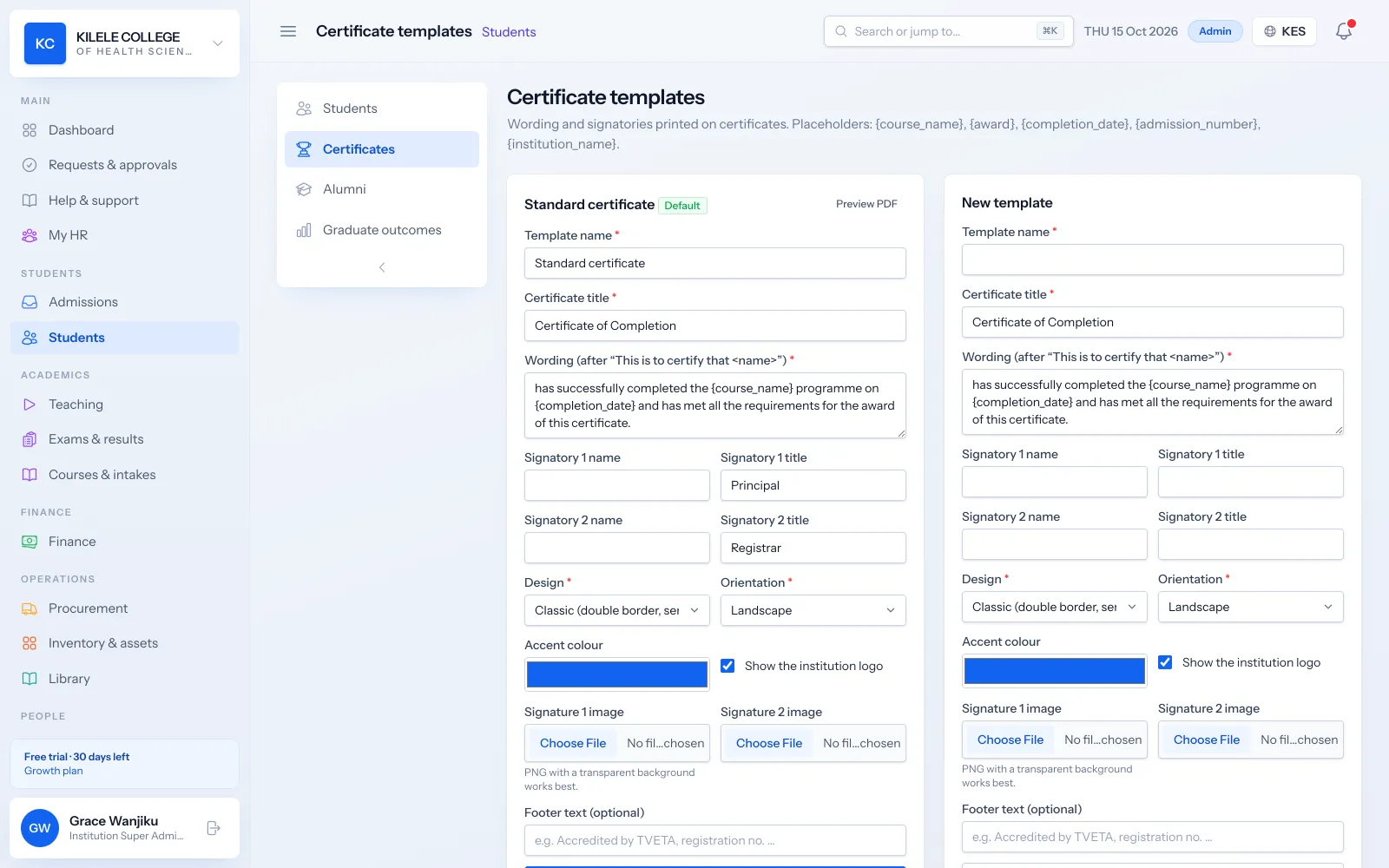
Create templates with your logo, colours, wording and signatories, and preview them before issuing.
- Landscape or portrait, with classic, modern or minimal borders
- Your logo, accent colour and footer
- Up to two signatories with signature images
- Wording with placeholders for the student, course and dates
Certificates & verification
Completion requirements
Soma360 lists the students who are ready for a certificate and explains why others are not, so nobody is certified by mistake.
- Fees cleared
- All units passed, or competent for CBET
- Minimum attendance met
- Bulk issue for everyone who qualifies
Certificates & verification
QR code verification
Every certificate carries a unique number and QR code. Scanning it opens your public verification page, which shows whether the certificate is valid.
- Public verification page, by QR code or certificate number
- Revoked certificates show as invalid immediately
- Each verification lookup is recorded
Certificates & verification
Digital, revocable and reissuable
Students download their certificate from the portal and share it. If a certificate needs correcting or withdrawing, it is reissued or revoked with a full history.
- PDF certificates students can download and share
- Revocation with a reason
- Reissue that keeps the history
- Automatic numbering in your own format
How it works
Certificates & verification, step by step
-
1
Design
Set up your certificate template and signatories.
-
2
Check
Soma360 lists students who meet the completion requirements.
-
3
Issue
Issue individually or in bulk; students are notified.
-
4
Verify
Employers and other institutions scan the QR code to confirm.
Who uses it
Built for everyone involved
Registrars
Design templates and issue, revoke or reissue certificates.
Students and graduates
Download and share their certificates.
Employers
Verify certificates on your public page.
FAQ
Questions about Certificates & verification
How do employers verify a certificate?
They scan the QR code or enter the certificate number on your verification page, which shows whether it is valid, revoked or unknown.
Can we stop certificates for students with fee balances?
Yes. "Fees cleared" is one of the completion requirements checked before issuing.
What if a certificate has a mistake?
Reissue it. The corrected certificate replaces the old one and the history is kept.
Works together with
Related features
Examinations & results
Assessments, marks entry, grading, moderation, approval and transcripts.
Learn moreCompetency-based training (CBET)
Units of competency, outcomes, evidence, assessors and C/NYC results.
Learn moreStudent records
Student profiles, programme details, documents, academic history and status.
Learn moreSee how Soma360 fits your institution
Tell us how your institution works and we will focus the demo on your records, departments and workflows. Prefer to explore alone? Start a 30-day free trial.