
Admissions management
Keep every application moving towards enrolment.
Manage applicant information, supporting documents and admission progress in one place. Give your admissions team a clear view of pending applications, missing information and completed enrolments.
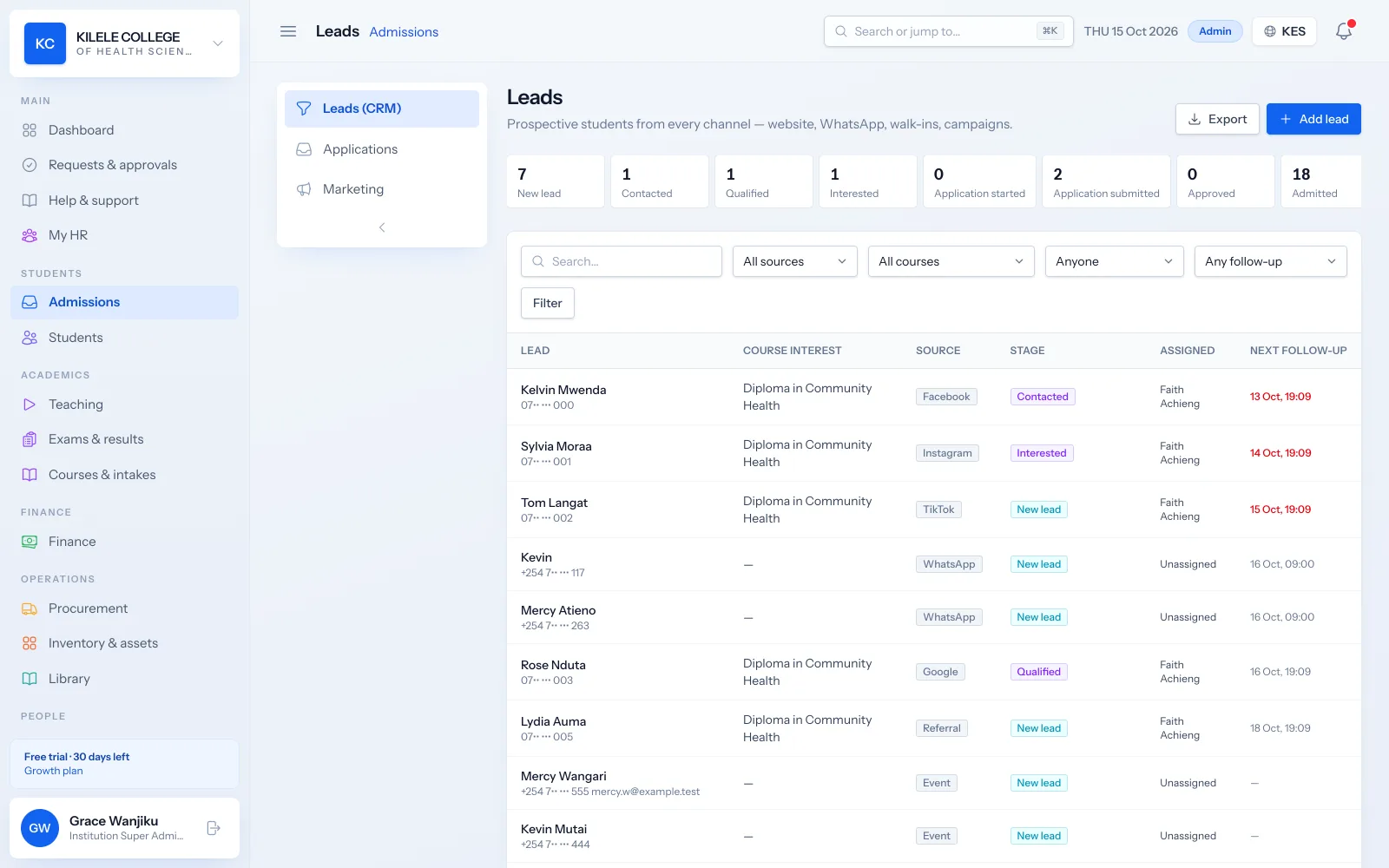
Every application in one list
Online, walk-in and staff-recorded applications sit in one queue with a status and an owner.
Missing information is visible
Filter for applications without documents and ask applicants for what is missing.
Admission creates the student
Approving an applicant creates the student record, the portal account, the first invoice and the admission letter.
Admissions management
Collect applicant details
Applicants apply on your institution's public application page, from a phone or a computer, and receive an application number. Staff can also record applications for walk-ins and phone enquiries on the applicant's behalf.
- Personal details, national ID number, date of birth and gender
- Phone, email, address and a parent or guardian contact
- Previous institution, highest qualification, grade and year completed
- Chosen course, campus and intake
Admissions management
Review required documents
Applicants upload their documents with the form as PDF or photo files. Reviewers open each document from the application and can filter for applications that are missing documents.
- Document types: national ID or passport, academic certificate, passport photo, birth certificate and medical form
- PDF, JPG and PNG uploads, up to 5 MB each
- A "missing documents" filter on the applications list
- Documents move to the student record on admission
Admissions management
Track application status
Every application has a status, an assigned officer and a history. Tabs show how many applications sit at each stage, so nothing waits unnoticed.
- Statuses: submitted, under review, information requested, on hold, approved and rejected
- Assignment to an admissions officer
- Search and filters by course, intake and officer
- A full history of status changes in the audit log
Admissions management
Assign applicants to programmes and intakes
You decide which courses, campuses and intakes are open for applications. Each application is linked to its course and intake, so admissions and finance see the same numbers per intake.
- Courses with entry requirements, levels from short course to degree
- Intakes with start dates and the courses they offer
- Campus selection for multi-campus institutions
- Application numbers in your own format
Admissions management
Convert admitted applicants into student records
When an application is approved, Soma360 admits the applicant in one step: no retyping into a separate student system.
- Student record created with an admission number in your format
- Student portal account created so the student can sign in
- First invoice raised from the course's fee structure
- Admission letter generated on your letterhead and sent by email
Admissions management
Enquiries and follow-up (CRM)
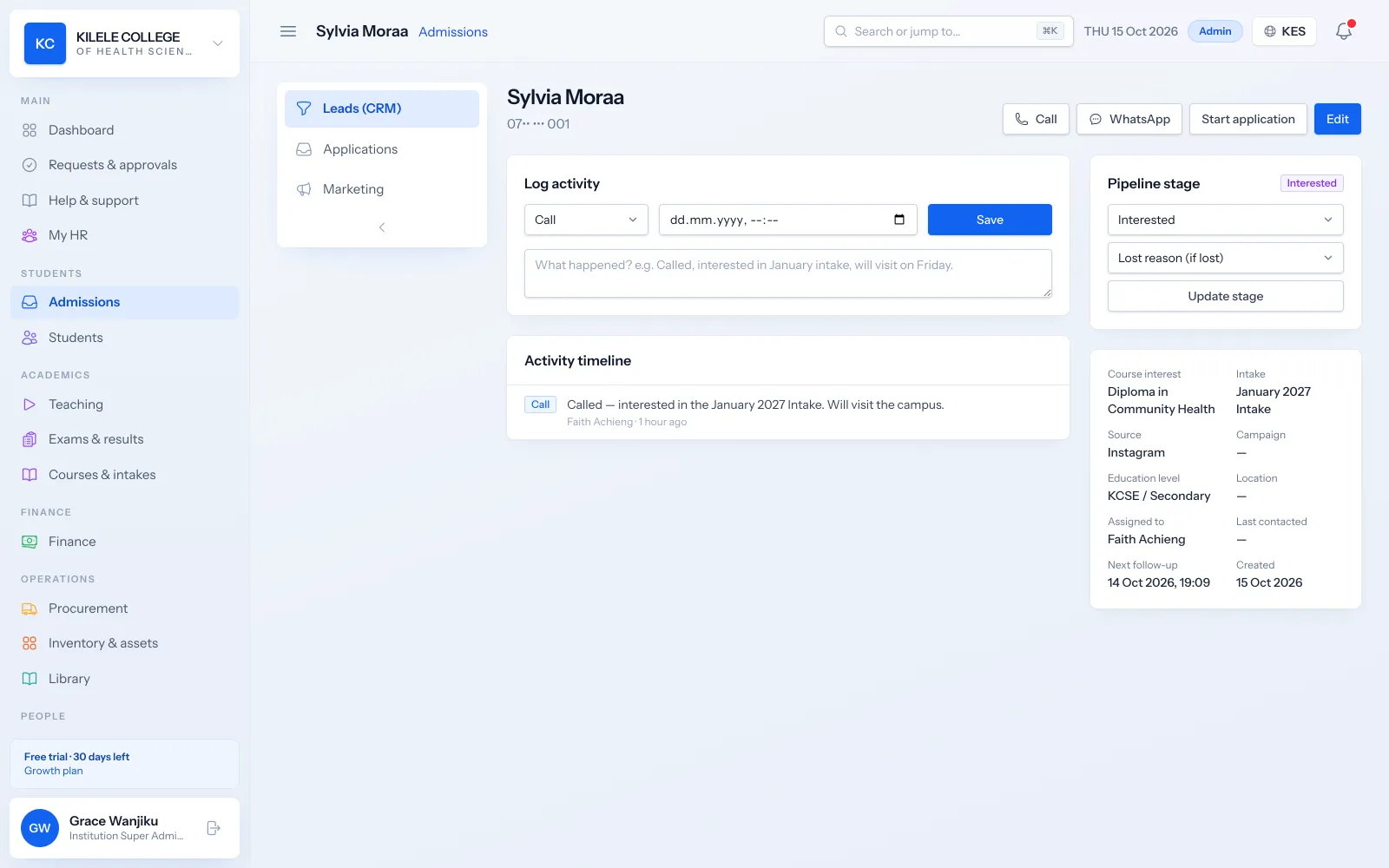
Before someone applies, they enquire. Leads from your website, WhatsApp, social media, walk-ins and events go into one pipeline with follow-up dates, so prospective students are not forgotten.
- Lead stages from new lead to enrolled, with lost reasons
- Sources including Facebook, Instagram, TikTok, Google, website, WhatsApp, referrals and walk-ins
- Follow-up dates and overdue follow-ups highlighted
- Admissions funnel and lead source reports
How it works
Admissions management, step by step
-
1
Apply
The applicant completes the online form and uploads documents, or staff record the application.
-
2
Review
An admissions officer checks details and documents, and requests anything missing.
-
3
Decide
The application is approved, put on hold or rejected.
-
4
Admit
Approval creates the student, portal account, first invoice and admission letter.
Who uses it
Built for everyone involved
Admissions officers
Review applications, request information and follow up enquiries.
Registrars
Approve and admit applicants and manage intakes.
Finance officers
See new students' first invoices as soon as they are admitted.
Principals
Follow applications and admissions per course and intake.
FAQ
Questions about Admissions management
Does the system support online applications?
Yes. Each institution has a public course catalogue and application page. Applicants choose a course, campus and intake, fill in their details and upload documents, and receive an application number. You can also embed an enquiry form on your existing website.
How are incomplete applications handled?
Reviewers set the application to "Information requested" or "On hold" and record what is missing. The "missing documents" filter lists applications without uploads. The application stays open until it is completed and approved or rejected.
Are application forms configurable?
You control which courses, campuses and intakes are open, each course's entry requirements, and the application number format. The form's fields are standard for all institutions: personal details, contacts, guardian, education history, programme choice and documents.
How are admission letters issued?
When an application is approved, Soma360 generates the admission letter on your letterhead and emails it to the student with their admission details. The letter can be downloaded again from the student's record at any time.
Works together with
Related features
Student records
Student profiles, programme details, documents, academic history and status.
Learn moreFees & payments
Fee structures, invoices, payments, receipts, balances and collection reports.
Learn moreSMS, email & WhatsApp
SMS, email and WhatsApp from one place, with templates and delivery status.
Learn moreSee how Soma360 fits your institution
Tell us how your institution works and we will focus the demo on your records, departments and workflows. Prefer to explore alone? Start a 30-day free trial.