
Reporting
Turn institutional records into useful reports.
Give your management team a clearer view of enrolment, collections and academic activity. Review records by programme, intake or reporting period to support planning and follow-up.
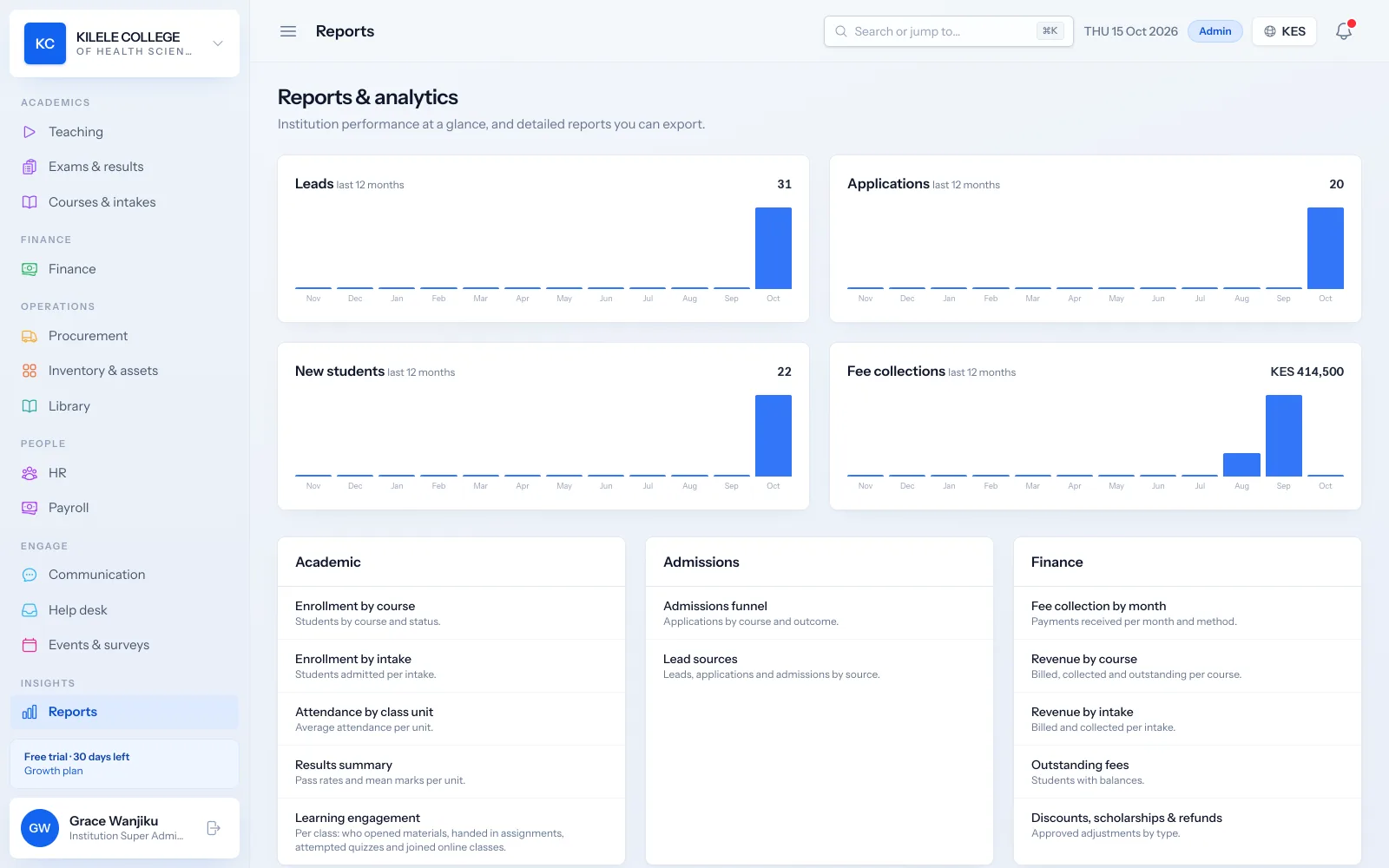
Live figures
Reports are calculated from your current records each time you open them.
Filtered by period
Every report has a date range, defaulting to the last twelve months.
Export and print
Download any report as CSV for Excel, or print it for meetings.
Reporting
Enrolment summaries
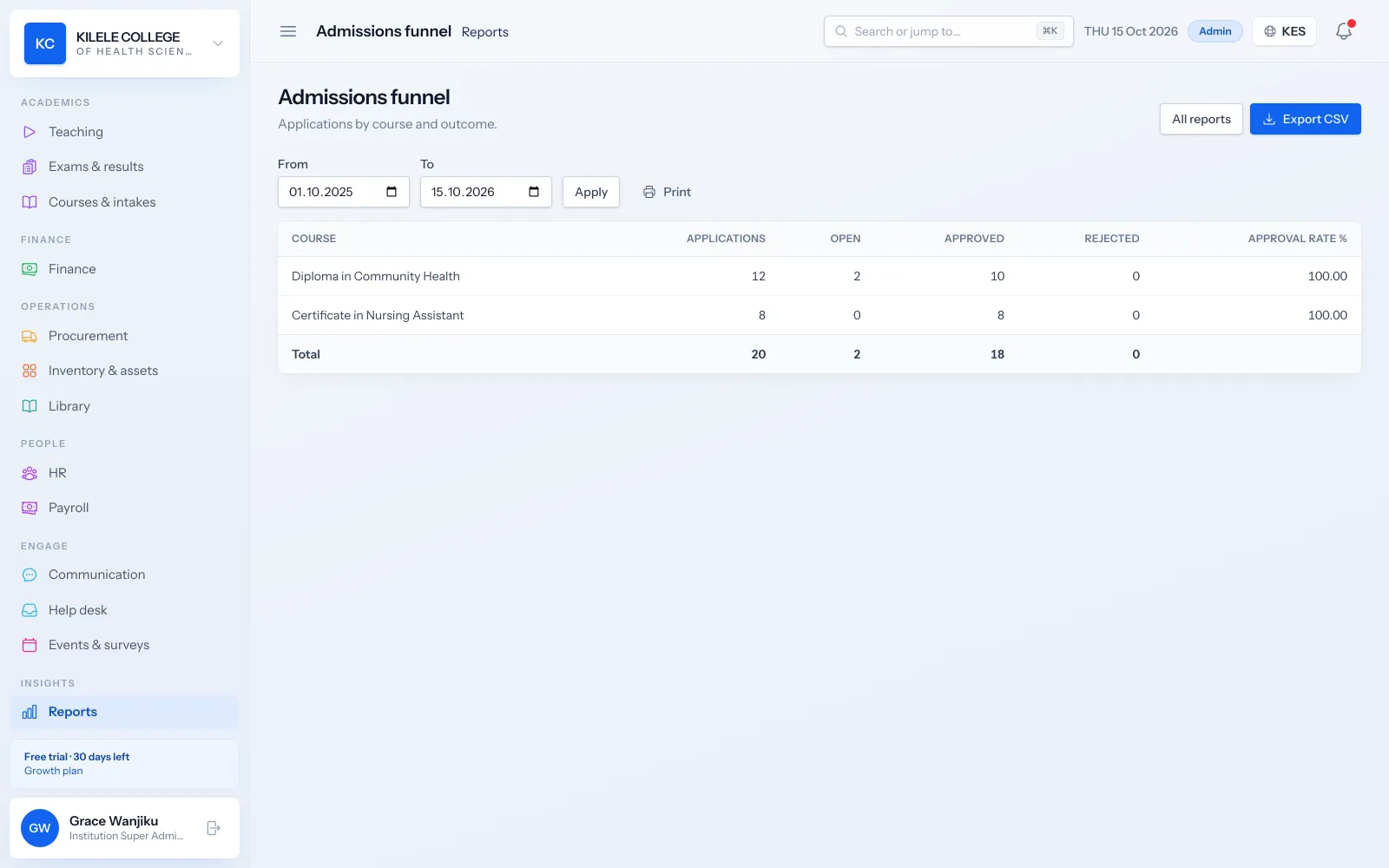
See how many students you have per course and intake, and how admissions convert from lead to enrolled.
- Enrolment by course, with student status
- Enrolment by intake
- Admissions funnel from application to admission
- Lead sources and their conversion
Reporting
Fee collection reports
Follow collections over time and by payment method, and see revenue per course and intake.
- Fee collection by month and method
- Revenue by course: billed, collected and outstanding
- Revenue by intake
- Discounts, scholarships and refunds
Reporting
Outstanding balance reports
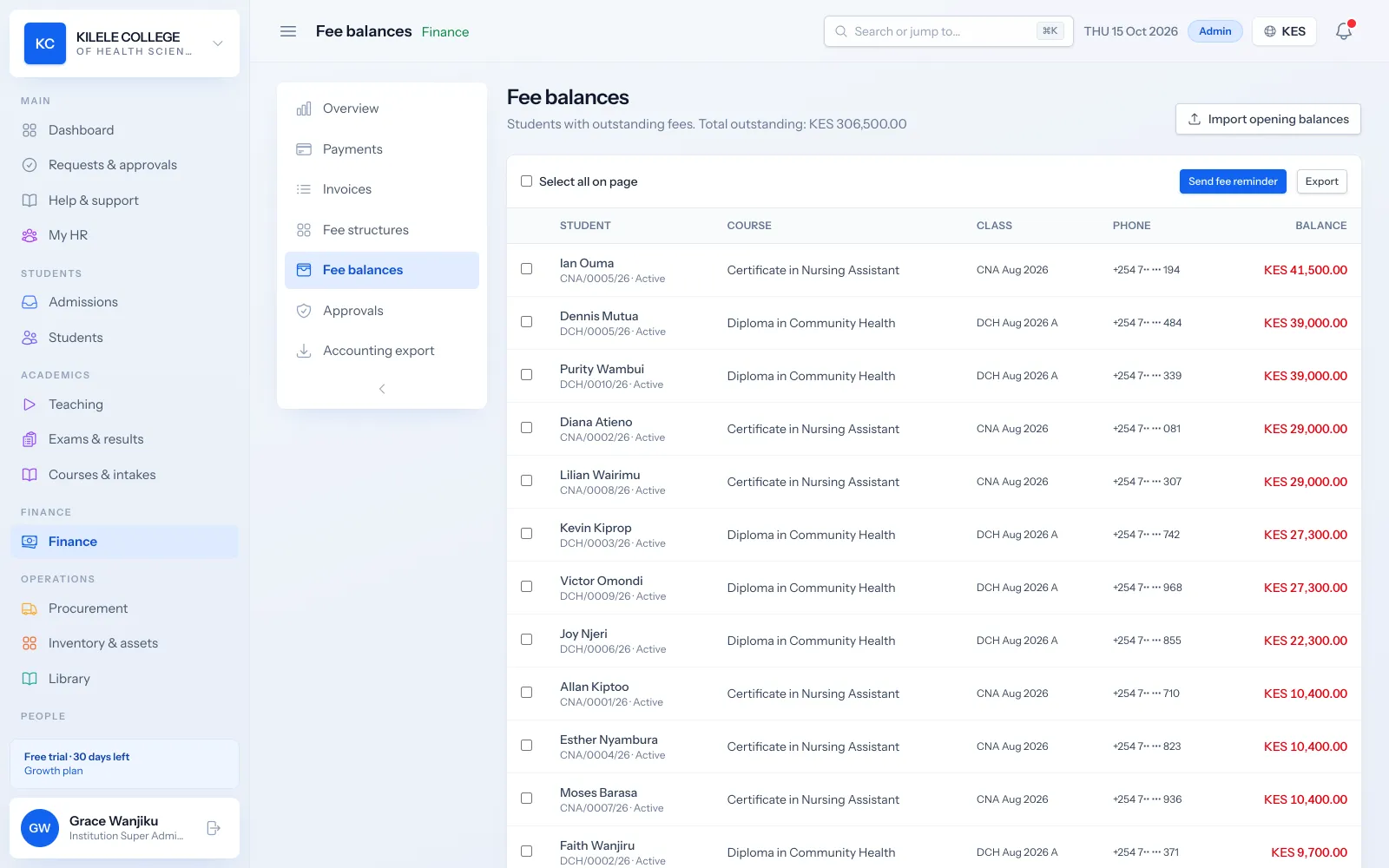
List every student with a balance and the total outstanding, ready for follow-up.
- Outstanding fees report
- Fee balances list with search and a minimum-balance filter
- Reminders to selected students from the same screen
Reporting
Attendance and academic performance
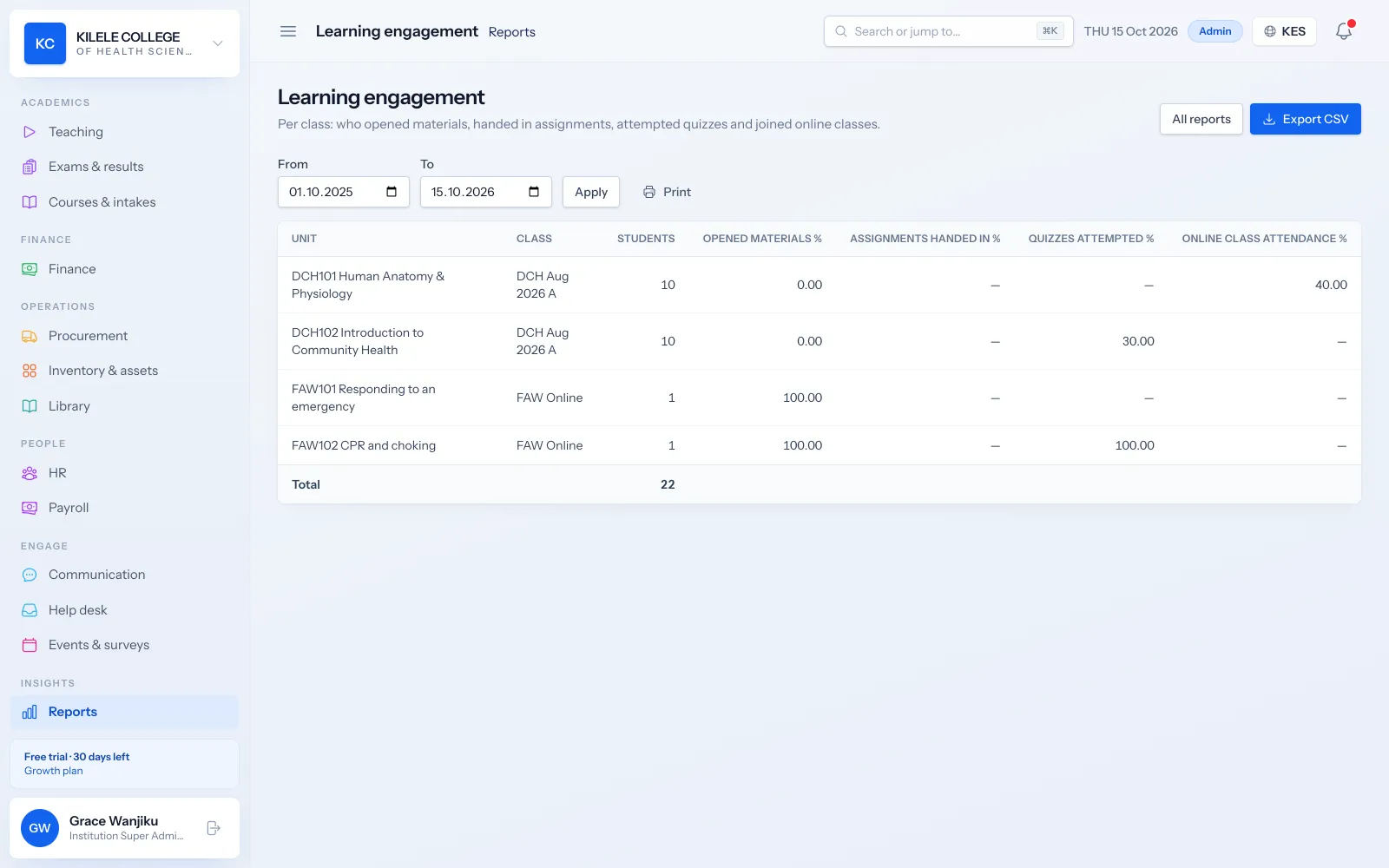
Review attendance and results across classes and units, and see how engaged classes are with learning materials and assessments.
- Attendance by class unit
- Results summary with pass rates and mean marks
- Learning engagement by class and unit
Reporting
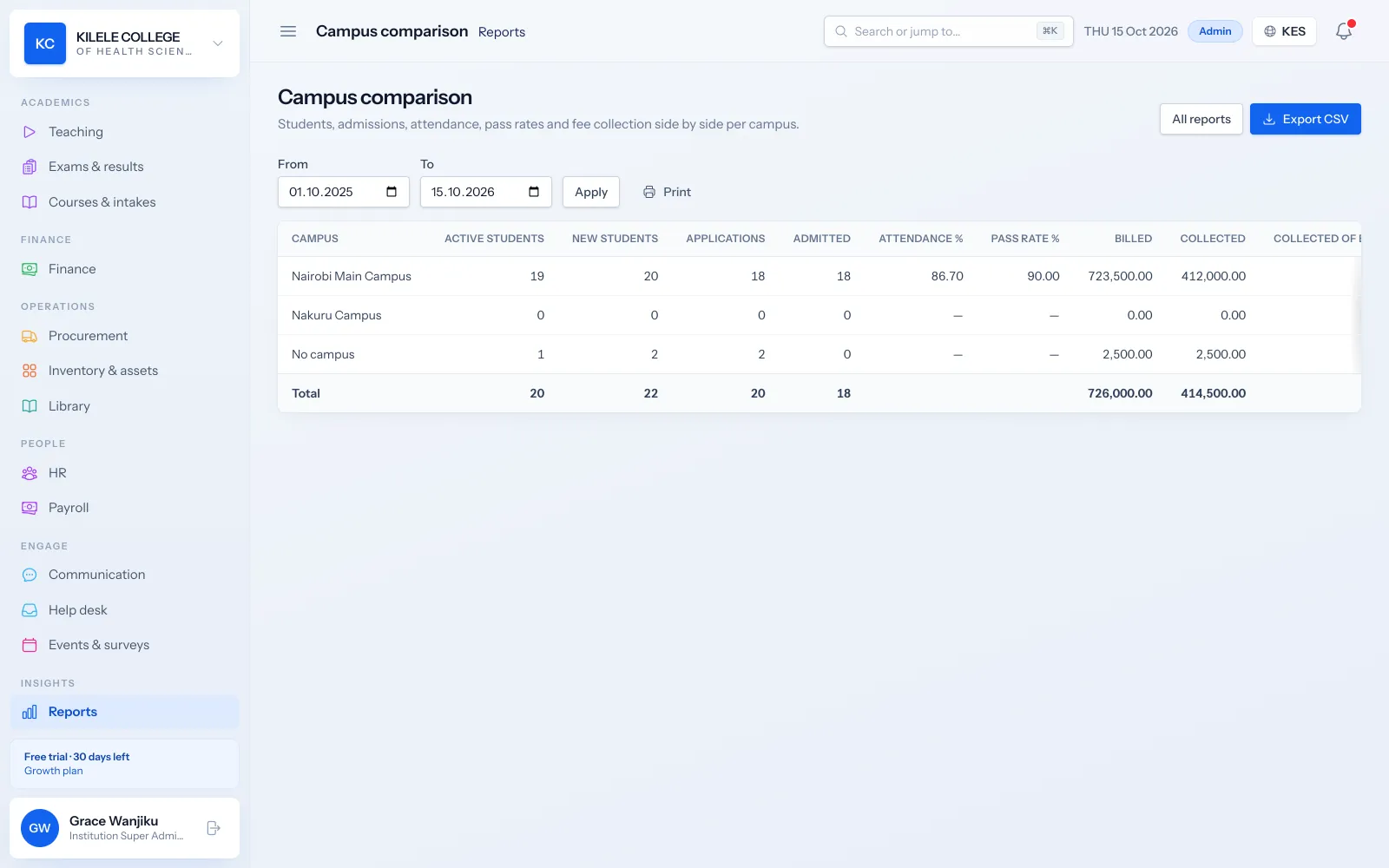
Campus comparison
Multi-campus institutions compare students, admissions, attendance and collections across campuses side by side.
- Campus comparison report
- Procurement, budget and inventory reports for operations
Reporting
Export options
Reports are built for sharing: export, print, or take all your data with you.
- CSV export of any report (by staff with export permission, recorded in the audit log)
- Print view
- Full data export of your institution as CSV files
- API access for your own reporting tools
How it works
Reporting, step by step
-
1
Open
Choose a report from the reports page.
-
2
Filter
Set the date range you want to review.
-
3
Share
Export to CSV or print for your meeting.
Who uses it
Built for everyone involved
Principals and directors
Review the whole institution.
Finance officers
Report on collections and balances.
Registrars and heads of department
Review enrolment, attendance and results.
Owners and boards
Receive reliable figures for planning.
FAQ
Questions about Reporting
How often are reports updated?
Every time you open them. Reports read your current records directly, so there is no overnight delay.
Which filters are available?
Every report has a date range. The student list also filters by course, class, campus and intake, and the campus comparison report compares campuses side by side.
Which export formats are supported?
CSV, which opens in Excel and Google Sheets, plus a print view. A full data export and the API are available for further analysis.
Works together with
Related features
Fees & payments
Fee structures, invoices, payments, receipts, balances and collection reports.
Learn moreAttendance management
Class registers, QR check-in, absence history and attendance reports.
Learn moreExaminations & results
Assessments, marks entry, grading, moderation, approval and transcripts.
Learn moreSee how Soma360 fits your institution
Tell us how your institution works and we will focus the demo on your records, departments and workflows. Prefer to explore alone? Start a 30-day free trial.