
Soma360 for training centres
Manage short courses and recurring training programmes.
Keep participant information, course schedules and payment records organised as your training business grows. Manage recurring cohorts and follow each participant from registration to completion.
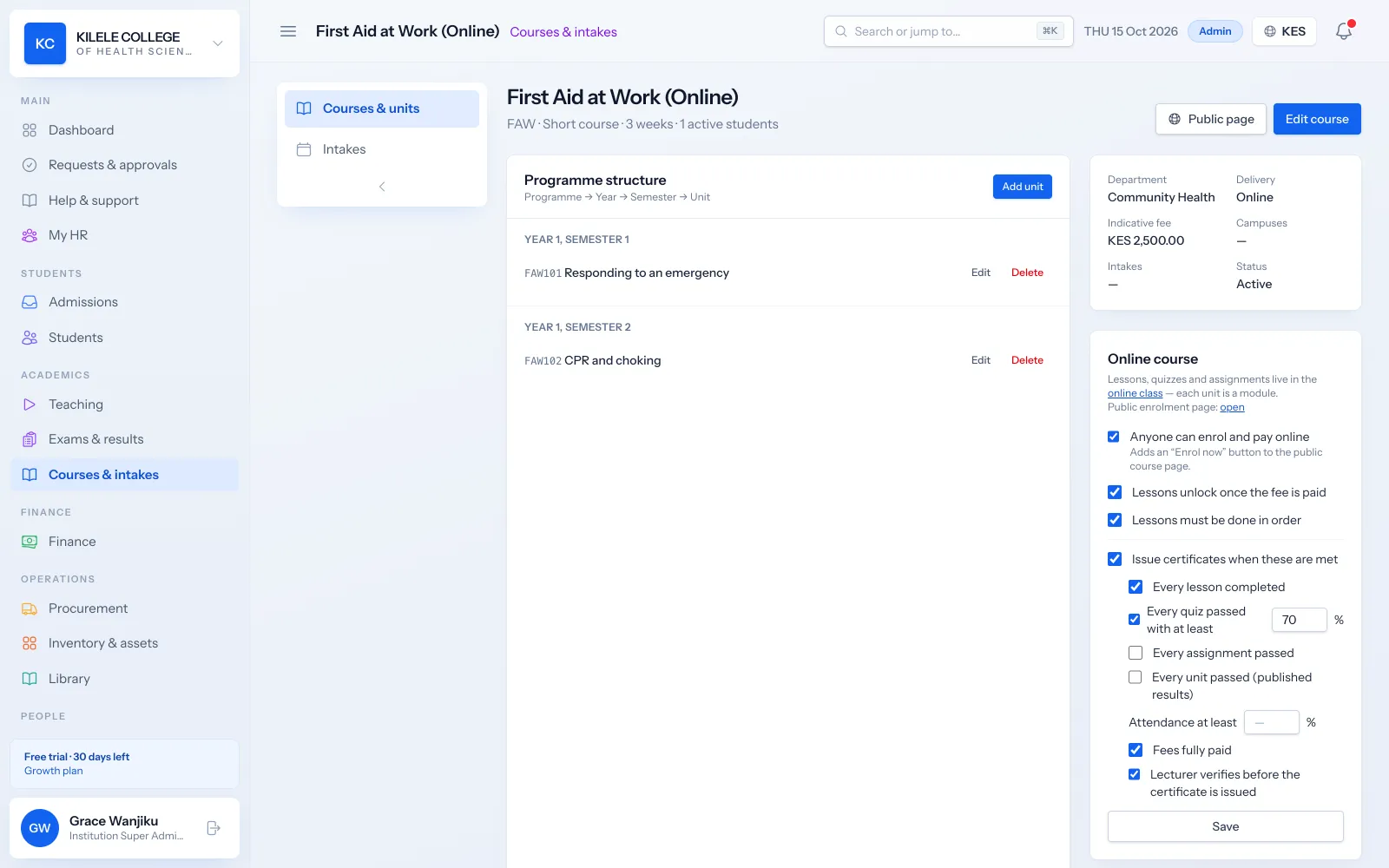
Short-course registration
Publish your courses in your public catalogue. Participants apply or, for fully online courses, enrol and pay by M-PESA, which creates their account automatically.
Read about Admissions management- Public course catalogue with descriptions and fees
- Online applications for classroom courses
- Online enrolment with M-PESA payment for online courses
- Registration by staff for walk-ins and corporate groups
Cohort administration
Each run of a course is an intake with its own class, so recurring cohorts stay separate while sharing the same course setup.
Read about Student records- Intakes for each run of a course
- Classes with their participant lists
- Reports by course and intake
Training schedules
Schedule sessions with rooms and trainers, check for clashes, and let participants subscribe to the schedule from their phone calendar.
Read about Timetabling- Timetables with room and trainer clash checks
- Online sessions on Jitsi, Zoom, Google Meet or Teams
- Calendar subscriptions for participants and trainers
Participant payment records
Invoice participants from the course fee, take payments by M-PESA, card or bank, and issue receipts automatically.
Read about Fees & payments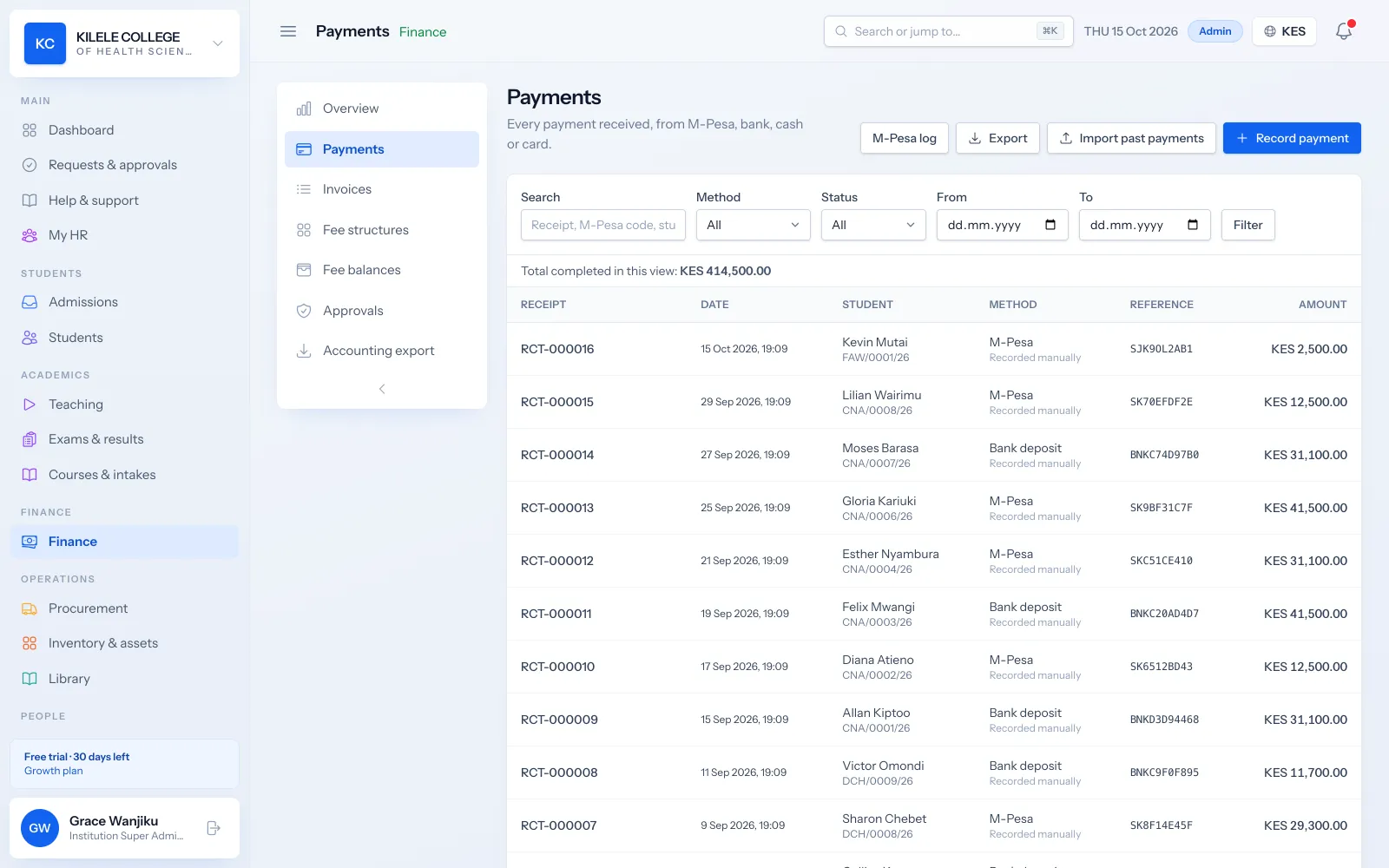
- Invoices and receipts
- M-PESA paybill, till and payment prompts
- Card payments through your own Paystack account
- Outstanding balances and reminders
Attendance and completion
Track attendance per session, and for self-paced online courses, progress through each lesson. Completion is verified by the trainer.
Read about Attendance management- Attendance per session with QR check-in
- Lesson progress for online courses
- Trainer verification of completion
Certificates
Issue completion certificates with your branding once requirements are met, each with a QR code employers can verify.
Read about Certificates & verification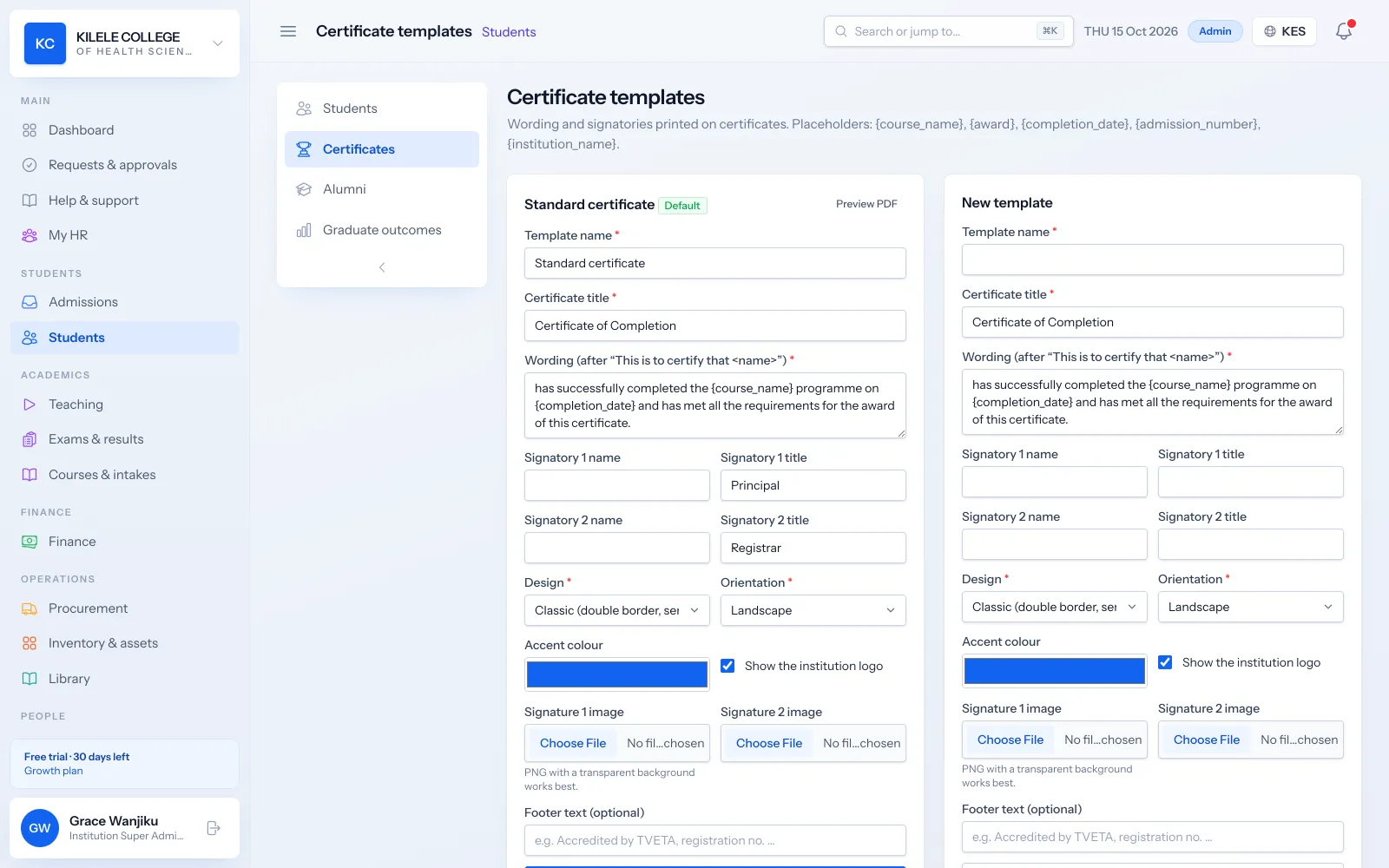
- Certificate templates with your logo and signatories
- Requirements such as fees cleared and minimum attendance
- QR code verification page
Example
Example: a participant on a short course
A realistic walk-through with a made-up student, showing what happens in Soma360 at each step.
-
1
Find the course
Kevin finds a First Aid at Work course in your public catalogue.
-
2
Enrol and pay
He enrols online and pays by M-PESA; his participant account is created automatically.
-
3
Learn
He works through the lessons and quizzes on his phone.
-
4
Complete
His trainer reviews his final assessment and verifies completion.
-
5
Certificate
His certificate is issued automatically, and an employer verifies it by scanning the QR code.
Modules
The parts of Soma360 you will use most
Online courses
Self-paced courses with online enrolment, M-Pesa payment and automatic certificates.
Fees & payments
Fee structures, invoices, payments, receipts, balances and collection reports.
M-PESA integration
Your own paybill or till, automatic matching, unmatched payments and STK push.
Attendance management
Class registers, QR check-in, absence history and attendance reports.
Certificates & verification
Templates, completion requirements, QR verification, revocation and reissue.
Student portal
Profile, fee statements, results, announcements, downloads and requests.
Good to know before you choose
- Online enrolment with immediate M-PESA payment is available for fully online courses; classroom courses take applications that your team approves.
FAQ
Common questions
Can we run the same course every month?
Yes. Create an intake for each run; the course, fee structure and certificate template are reused.
Can participants pay before they start?
Yes. Online course participants pay by M-PESA when they enrol, and classroom participants are invoiced on admission.
Do participants get certificates?
Yes, once completion requirements are met, with a QR code for verification.
See how Soma360 fits your institution
Tell us how your institution works and we will focus the demo on your records, departments and workflows. Prefer to explore alone? Start a 30-day free trial.