
Timetabling
Timetables without clashes.
Building a timetable by hand takes days and breaks the moment a lecturer is away. Soma360 proposes a timetable, checks rooms and lecturers for clashes, and handles changes and holidays without starting again.
Clashes caught early
Room, lecturer and class clashes and over-capacity rooms are flagged before publishing.
Changes in one place
Cancellations, substitutions and holidays update every affected timetable.
Calendars stay in sync
Staff and students subscribe to their timetable from their own calendar app.
Timetabling
Timetable generation
Set the units each class takes, the hours per week, rooms and lecturers, and let the generator propose a timetable you can adjust.
- Automatic timetable generation
- Room, lecturer and class clash detection
- Room capacity checks against class size
- Views by class, lecturer or room, and a printable timetable
Timetabling
Rooms, changes and closures
Handle one-off changes and closures on specific dates without rebuilding the timetable.
- Lesson changes: cancel, reschedule, move room or substitute lecturer
- Calendar closures for public holidays and breaks
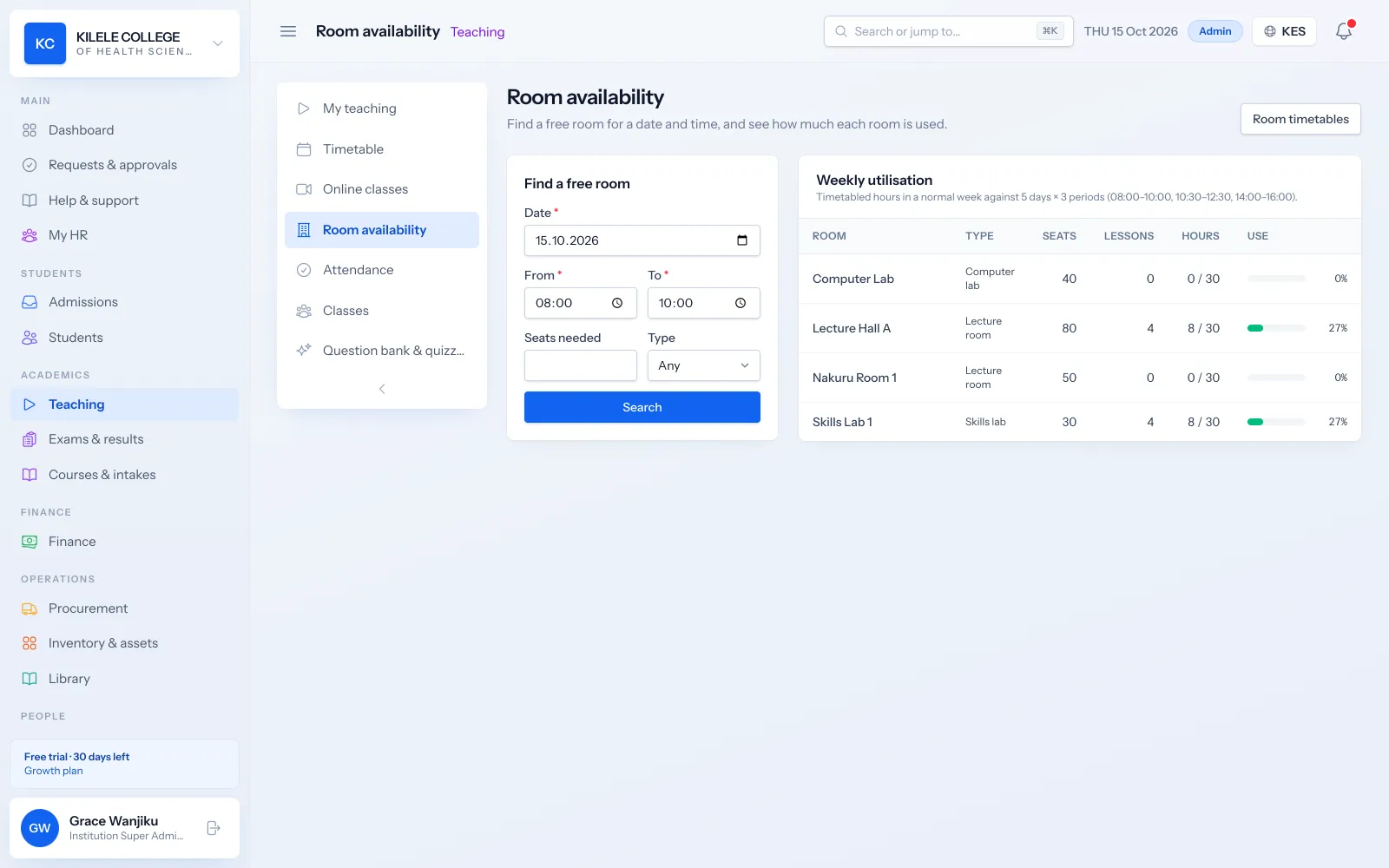
- Find a free room for any time slot
- Weekly room utilisation
Timetabling
Exam timetable
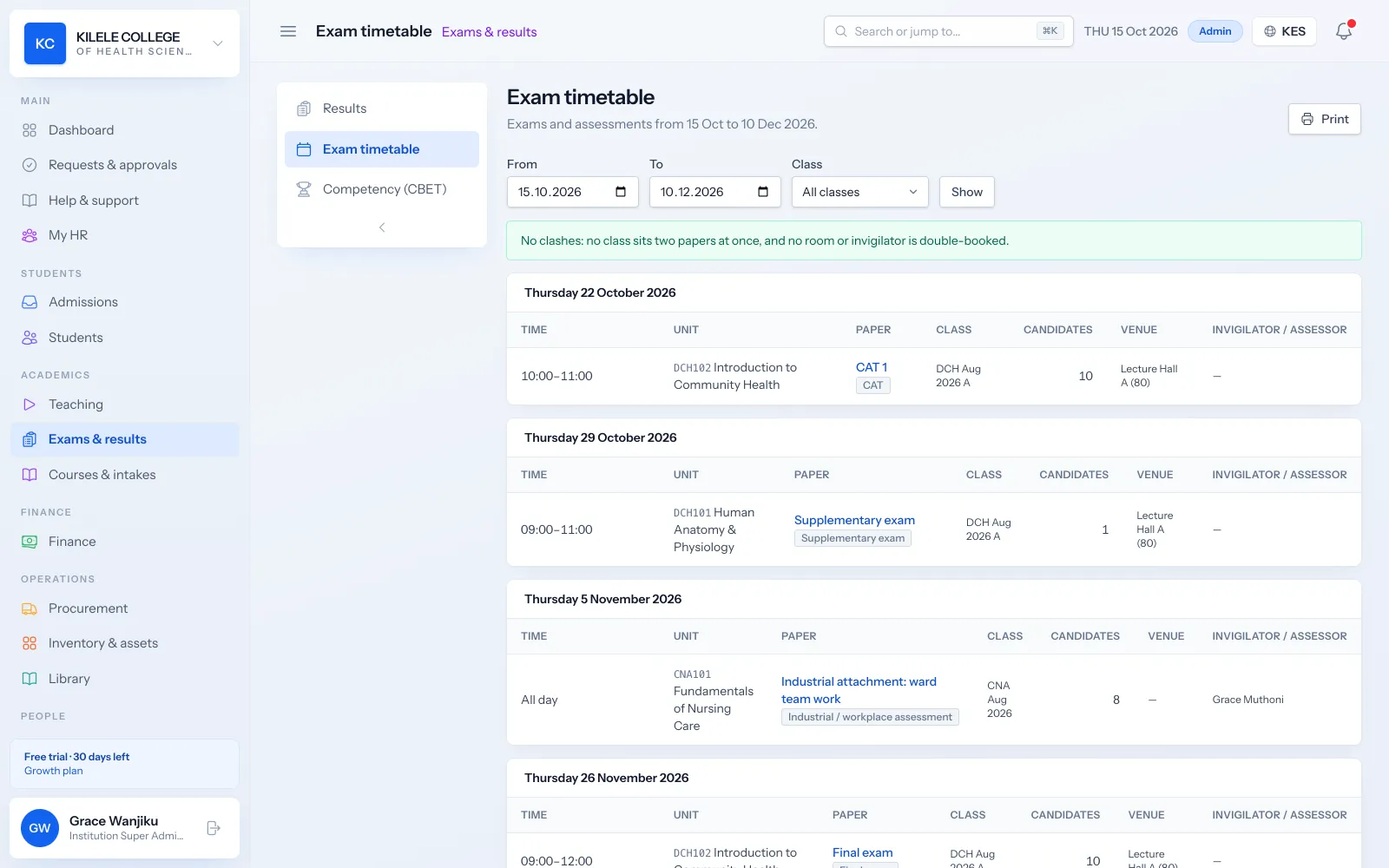
Schedule CATs, end-of-semester exams and supplementary sittings with rooms and clash checks. Students see their exams in the portal.
- Exam timetable by date, with rooms
- Supplementary and resit sittings included
- Next exam shown on the student portal
Timetabling
Calendar subscriptions
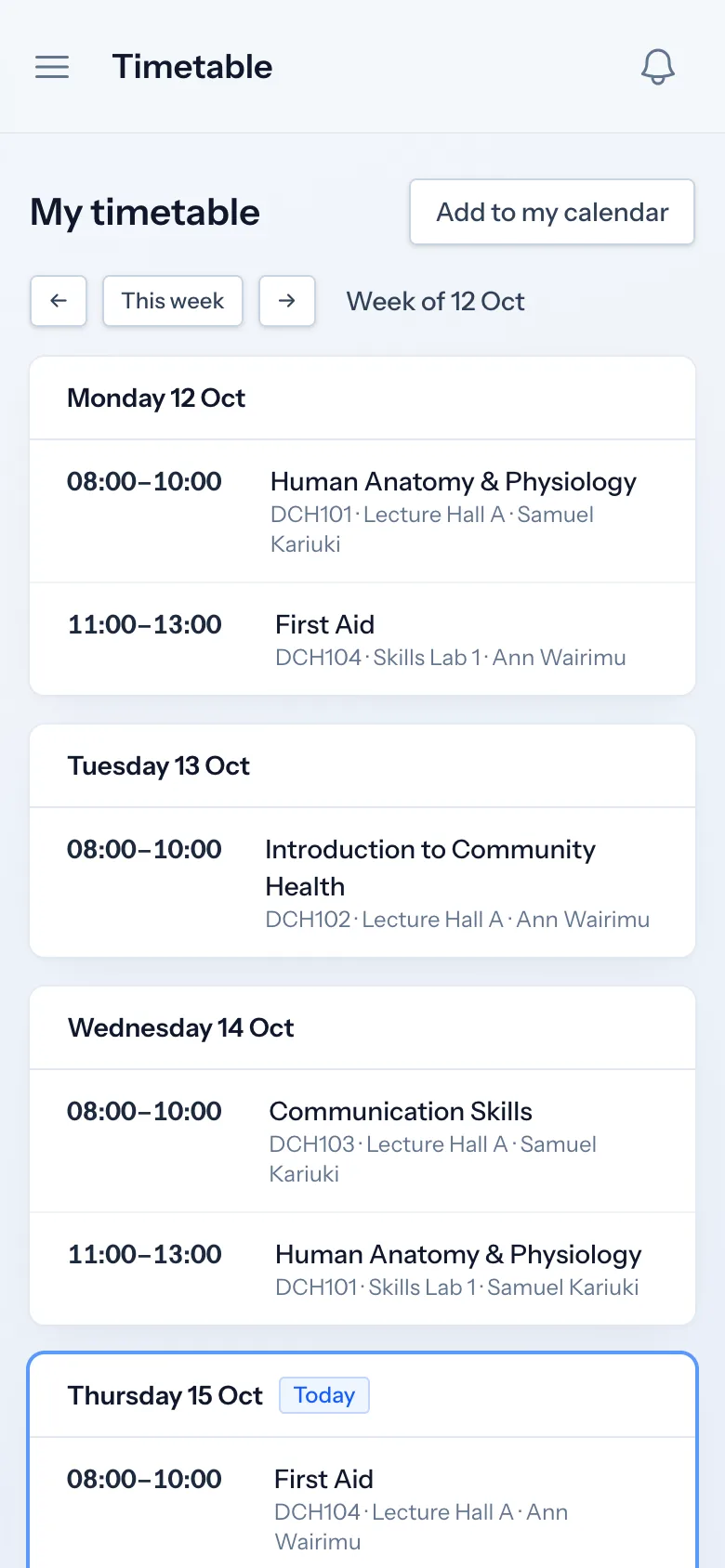
Lecturers and students subscribe to their own timetable from Google Calendar, Outlook or their phone, and changes appear automatically.
- Personal calendar feeds (ICS)
- Lecturer schedules and workload
- Academic calendar with terms and closures
How it works
Timetabling, step by step
-
1
Set up
Add rooms, units, lecturers and the hours each class needs.
-
2
Generate
Generate the timetable and review any clashes.
-
3
Publish
Classes, lecturers and students see their timetables.
-
4
Adjust
Apply lesson changes and closures as the term runs.
Who uses it
Built for everyone involved
Academic registrars
Build and publish class and exam timetables.
Lecturers
See their schedule and subscribe to it.
Students
See their timetable and exams in the portal.
FAQ
Questions about Timetabling
Can we change one lesson without redoing the timetable?
Yes. Lesson changes and closures apply to specific dates and update everyone's timetable and calendar.
Does it check room capacity?
Yes. Rooms have a capacity, and placing a class larger than the room is flagged as a clash.
Can lecturers add the timetable to Google Calendar?
Yes. Everyone gets a personal calendar link that Google Calendar, Outlook and phone calendars can subscribe to.
Works together with
Related features
Attendance management
Class registers, QR check-in, absence history and attendance reports.
Learn moreExaminations & results
Assessments, marks entry, grading, moderation, approval and transcripts.
Learn moreStudent portal
Profile, fee statements, results, announcements, downloads and requests.
Learn moreSee how Soma360 fits your institution
Tell us how your institution works and we will focus the demo on your records, departments and workflows. Prefer to explore alone? Start a 30-day free trial.