
Procurement & inventory
Spend with control, from request to payment
Purchasing on paper makes it hard to know who approved what, or whether you paid for goods you never received. Soma360 takes every purchase through request, approval, quotation, order, delivery and a three-way match before payment.
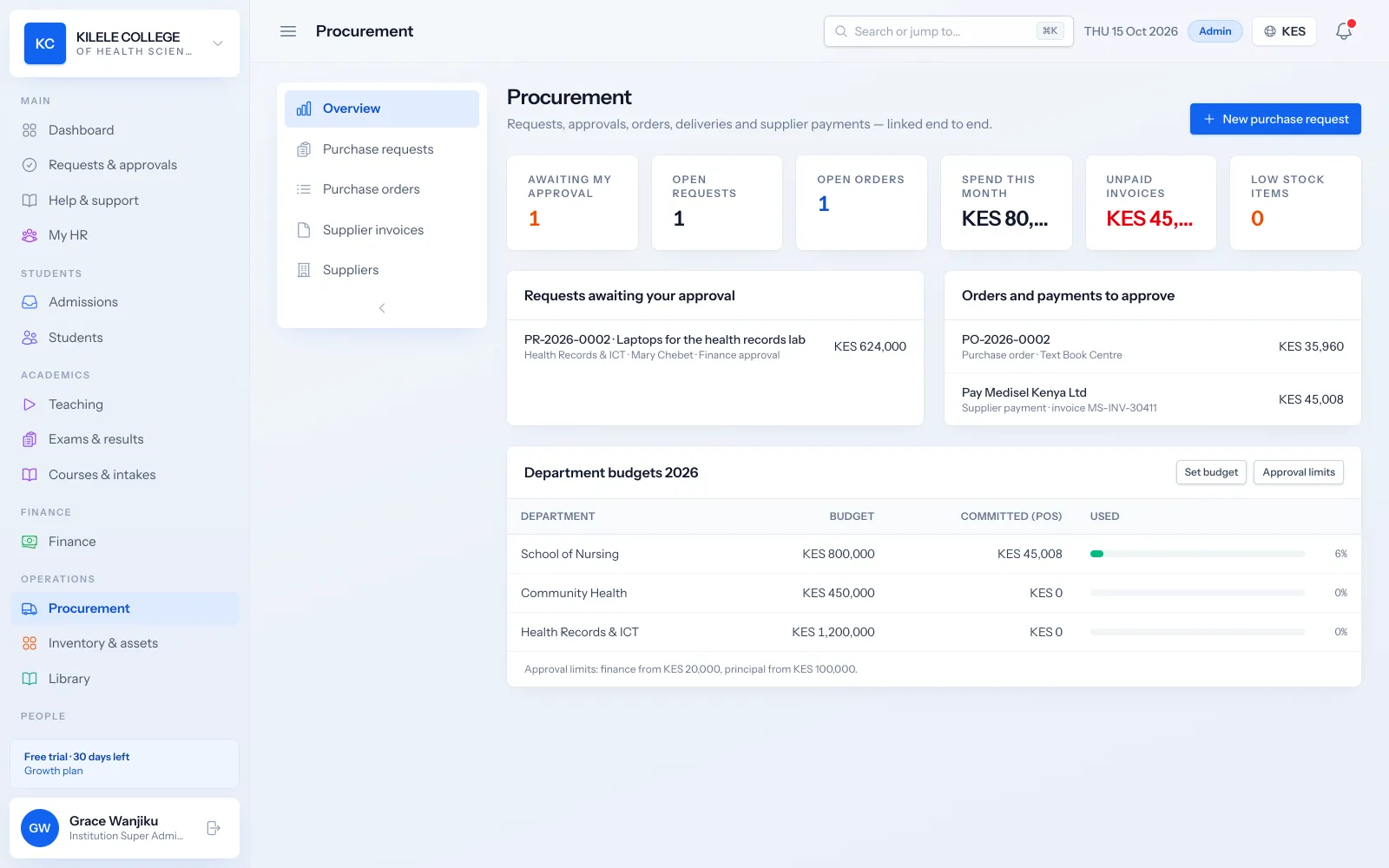
Approvals that scale with the amount
Larger requests automatically need finance and principal approval.
Pay only for what arrived
Supplier invoices are matched to the order and the goods received.
Budgets in view
Spending is tracked against each department's budget.
Procurement & inventory
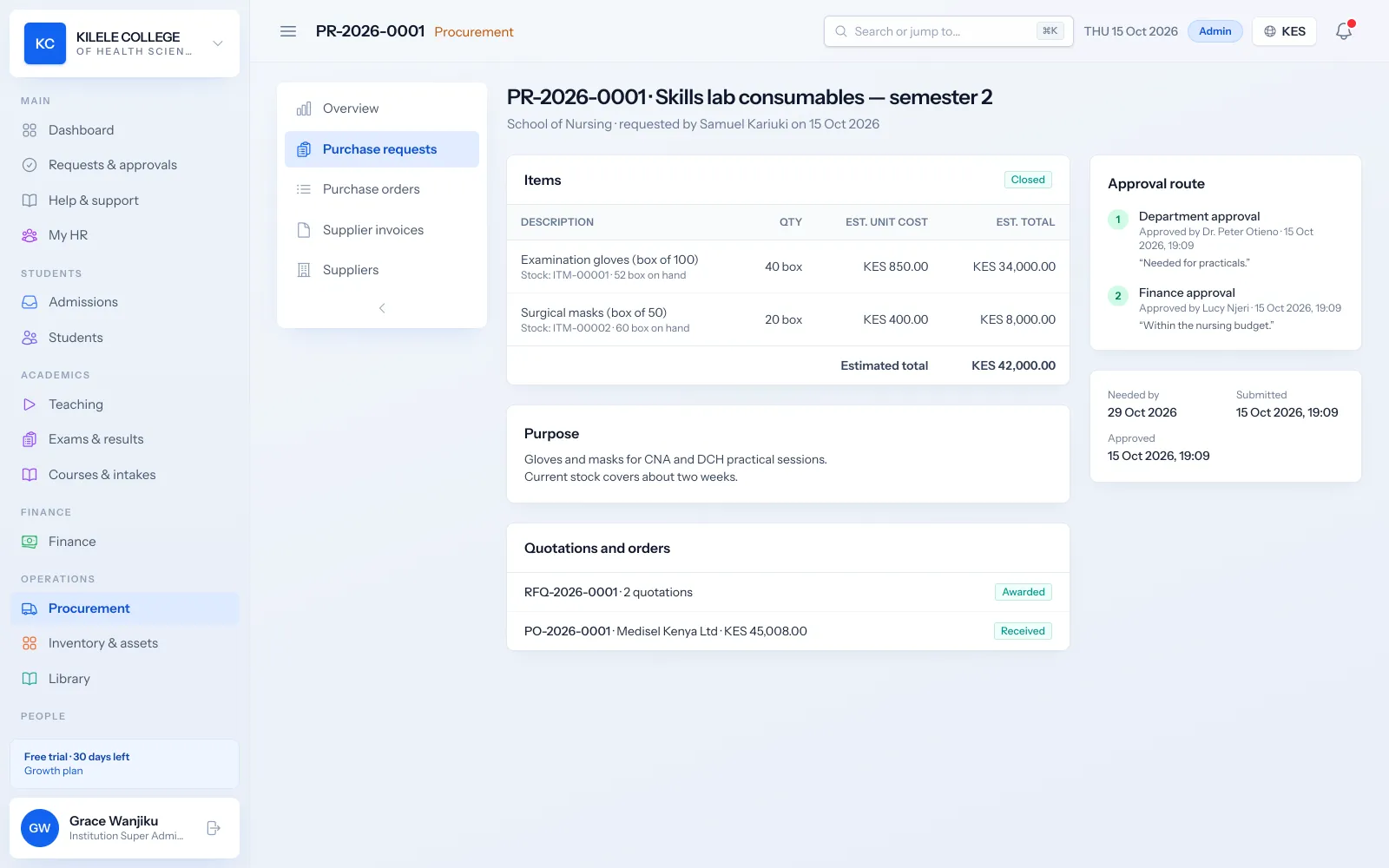
Requests and staged approvals
Departments raise purchase requests with items and a purpose. Approval stages follow the amount, for example finance approval from KES 20,000 and principal approval from KES 100,000.
- Purchase requests with items, quantities and estimates
- Approval stages by amount
- Department budgets and budget versus actual
Procurement & inventory
Quotations and purchase orders
Request quotations from suppliers, compare them side by side and raise a purchase order, which itself needs a second person's approval.
- Requests for quotation and supplier comparison
- Purchase orders with VAT, approved by a second person
- Supplier register
- Printable purchase orders
Procurement & inventory
Delivery, matching and payment
Record goods received against the order. Supplier invoices are matched three ways (order, delivery and invoice) and payment is made by a second finance user.
- Goods received notes that update stock
- Three-way matching of supplier invoices
- Supplier payments approved by a second finance user
- Outstanding supplier invoices report
Procurement & inventory
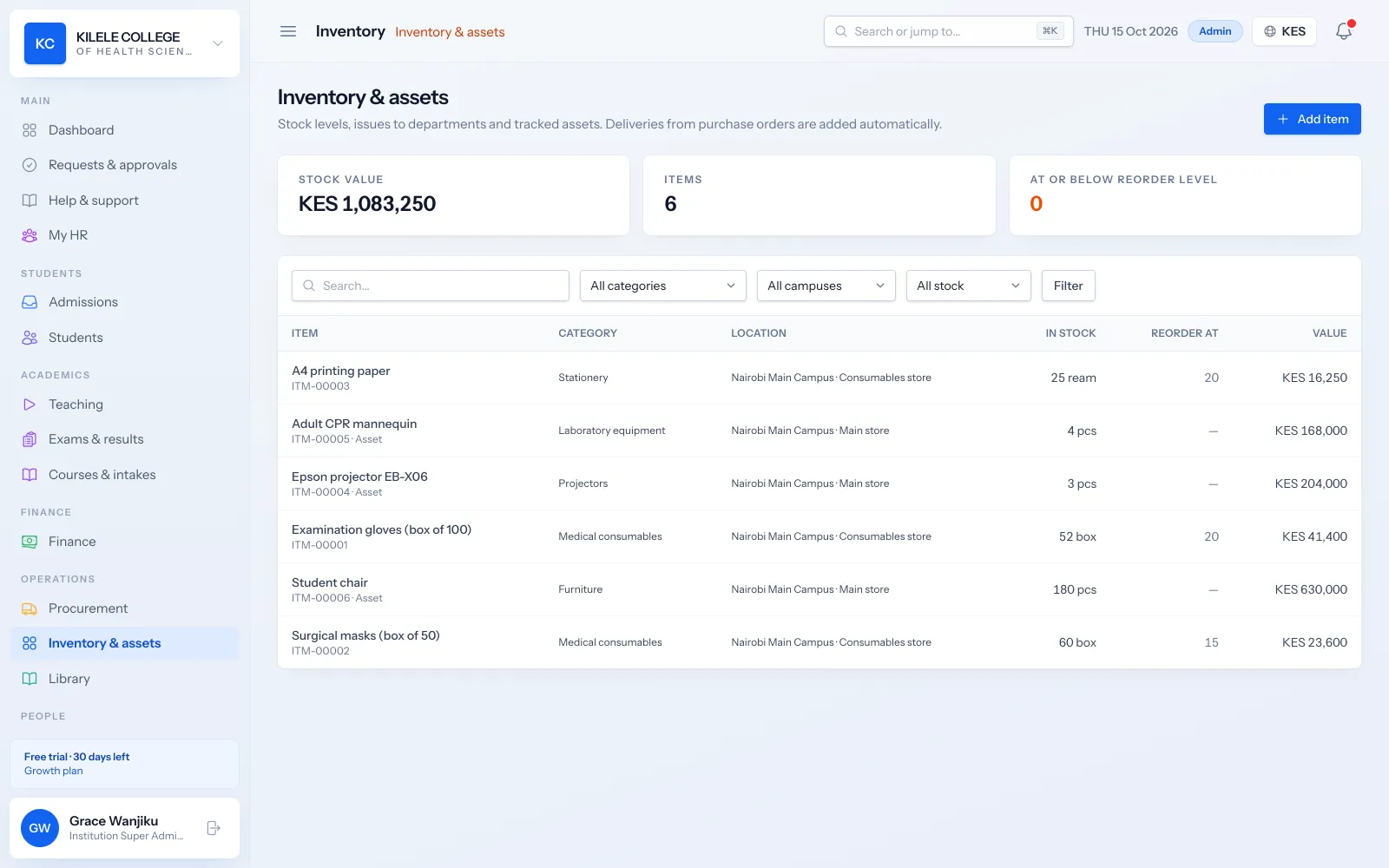
Stores and assets
Keep an inventory of consumables and an asset register for equipment, with movements, maintenance and who has what.
- Inventory items with stock levels and reorder levels flagged when low
- Stock movements in and out
- Asset register with maintenance records and assignment to staff
- Inventory valuation report
How it works
Procurement & inventory, step by step
-
1
Request
A department raises a purchase request.
-
2
Approve
Approvals follow the amount and the budget.
-
3
Order
Quotations are compared and a purchase order is approved.
-
4
Receive
Goods are received into stores.
-
5
Pay
The invoice is matched and payment approved.
Who uses it
Built for everyone involved
Heads of department
Raise and approve purchase requests.
Procurement officers
Run quotations and purchase orders.
Storekeepers
Receive goods and manage stock and assets.
Finance officers
Match invoices and approve payments.
FAQ
Questions about Procurement & inventory
Can we set our own approval thresholds?
Yes. The amounts that trigger finance and principal approval are configurable.
What is three-way matching?
Before a supplier is paid, the invoice is checked against the purchase order and the goods received, so you only pay for what you ordered and received.
Does it track assets as well as stock?
Yes. Equipment is kept in an asset register with maintenance records and assignment to staff.
Works together with
Related features
Reporting
Enrolment, collections, balances, attendance and academic reports with export.
Learn moreWorkflows, automation & API
Request workflows with approvals, automation rules, API and webhooks.
Learn moreFees & payments
Fee structures, invoices, payments, receipts, balances and collection reports.
Learn moreSee how Soma360 fits your institution
Tell us how your institution works and we will focus the demo on your records, departments and workflows. Prefer to explore alone? Start a 30-day free trial.